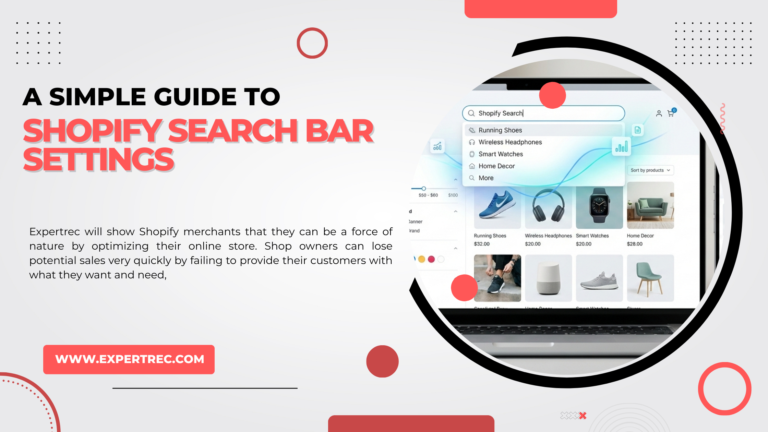
Expertrec will show Shopify merchants that they can be a force of nature by optimizing the search function on their online store. Shop owners can lose potential sales very quickly by failing to provide their customers with what they want and need, quickly! Customers want things fast and if you do not meet these expectations, they will leave your store immediately.
Shopify offers you basic functionality when it comes to your store’s search bar; however, by itself this basic function lacks speed and accuracy and it has limited capabilities when it comes to customization.
Expertrec Smart Product Filter and Search will allow you to turn your online store’s search feature into a Profit Generating Machine. In this article, you will learn about how the search bar works within the Shopify platform, the limitations of this system, and how you can enhance your customers’ experience with the search function while using Expertrec.
Table of Contents
- Understanding Shopify’s Default Search Bar Settings
- Common Limitations of Shopify’s Built-in Search
- Customizing Shopify Search Bar with Expertrec
- Key Shopify Search Bar Customizations with Expertrec
- How to Add Expertrec Search to Your Shopify Store
- SEO Benefits of Using Expertrec on Shopify
- Final Thoughts: Upgrade Your Shopify Search with Expertrec
Understanding Shopify’s Default Search Bar Settings
Shopify’s built-in search function allows users to search for items, site pages and blog entries. The search tool is managed through the Admin application located within Online Store Navigation.
The default search capabilities of Shopify include:
- Ability to search through item title/description/tag
- Basic word match capability
- Limited item filtering
- Non-AI based personalization and
- Very few character error tolerance.
While these features may work fine for a small catalog, they become less effective as the number of products offered increases.
Common Limitations of Shopify’s Built-in Search
Shopify Store Owners Common Limitations
- ❌ Search Results are Not Relevant
- ❌ No Advanced Filters – such as Price/Brand/Attribute
- ❌ No Handling of Typos/Synonyms
- ❌ Slow When Searching Large Catalogs
- ❌ Search Analytics/Insights Not Available
This has a negative effect on User Experience/Bounciness and Sales Conversions.
Customizing Shopify Search Bar with Expertrec
Expertrec uses artificial intelligence technology to create a new, custom-made, faster ready-to-use search engine that improves product discovery on your store.
Why Use Expertrec for Shopify Search?
- Search results available in milliseconds
- Smart auto-complete and instant recommendations
- Advanced filtering options for products
- AI-based ranking of products
- Easy set-up without the need to write code
Let’s look at the way Expertrec improves the Shopify search area.
Key Shopify Search Bar Customizations with Expertrec
Smart Autocomplete and Instant Suggestions – Searched Items, Categories, and Top Searches Visible as Users Type. These Suggestions will Save Time in Finding Products and Increase User Engagement
The Advanced Product Filter (or “Faceted Search”) Allows You to Set Product Filters Based on Price, Brand, Size, Color, Material, Availability, and Other Custom Metafields; Perfect for Stores With Many Large Catalogs or Complex Catalogs.
AI-Powered Product Relevance and Ranking – Expertrec Analysis of the User’s Intent and Delivers The Following Types of Products Based Best Selling and High Converting Products and Product Attributes Relevant To Your Customer.
Typographical Errors and Synonyms are Managed Automatically By Expertrec; For Example, if You Type “headfone” into the Search Bar, the Result will Include Headphone.
Mobile Optimized – Our Search Bars Were Designed Specific for Mobile Users: Responsive, Touchable, and Optimized for Optimal Mobile Shopping Experience. Considering That Most Shopify Traffic Comes Via Mobile, a Mobile-Optimized Search Is Important for Increasing Revenue From Your Shopify Store.
Unlike Shopify Default Search, We Provide The Following: Top Searches, No Result Searches, Conversion Information, and Insights Into User Buying Behavior. These Data Will Allow Merchants To Optimize Inventory and Increase Marketing Strategies.

AI-powered site search with instant autocomplete
Deliver lightning-fast search experiences with ExpertRec
ExpertRec helps you implement intelligent autocomplete, typo-tolerant search, personalized results, and scalable server-side search — all without complex infrastructure or heavy development effort.
Quick setup • No coding required • Works on any website
How to Add Expertrec Search to Your Shopify Store
Here’s how you can add Expertrec search to your Shopify store quickly and easily.
- Install the Expertrec Smart Product Filter & Search app from the Shopify App Store.
- Sync the product catalog automatically with the Expertrec app.
- Customize the look of both the search results and the filter options based on your brand’s needs.
- Overwrite or remove the default Shopify search bar with an Expertrec search bar.
- Launch your store without writing any code or paying any additional fees.
SEO Benefits of Using Expertrec on Shopify
In addition to providing users with an excellent search experience, the use of Expertrec also has indirect benefits to SEO. Some of these include:
- Decreased bounce rates.
- Longer time spent on your website (great for SEO).
- Improved Conversion Signals.
- Greatly enhanced internal linkage through intelligent search results.
Happy users = High Ranking On Search Engines.
Final Thoughts: Upgrade Your Shopify Search with Expertrec
The search box on your website is more than just a box to type into; it is a sales tool for your business. If you are just starting with Shopify, the default Shopify search may provide some basic functionality; however, this default example does not provide a user-friendly interface or high levels of intelligence that the modern shopper expects.
By utilizing Expertrec in place of the Shopify default search feature, your customers will have a fast, intuitive, and highly effective conversion-centered experience that results in them finding the best matches in seconds.
If you wish to increase user engagement, improve product discovery, and ultimately, to sell more products, it would be wise to upgrade your Shopify store’s search capabilities with Expertrec!