
Table of Contents
- Introduction
- Why Choose MUI for a Search Bar?
- Understanding the Role of Search on expectrec.com
- Core Elements of an Effective MUI Search Bar
- Customizing the Search Bar for expectrec.com
- Performance Considerations
- Error Handling and Empty States
- Why Less Code and More Design Thinking Matter
- Final Thoughts
Search bars are no longer just an interface element; they now play a major part in improving user experience. On sites like expectrec.com that allow users to search for information, records, or insight, a well-designed search bar creates more interaction with users and increases their navigation and satisfaction while using this site.
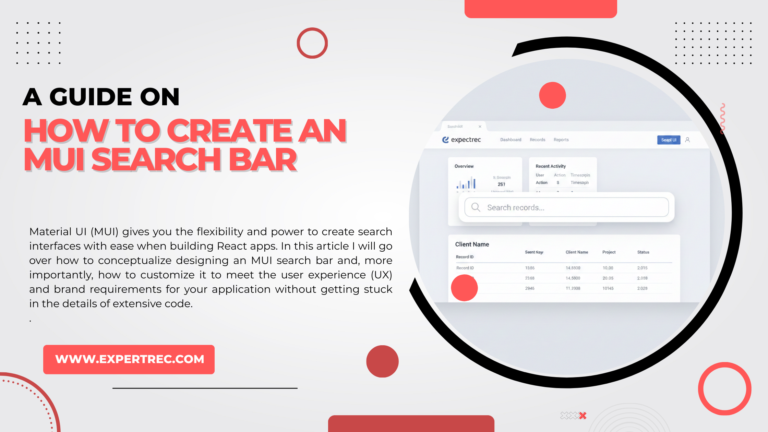
Material UI (MUI) gives you the flexibility and power to create search interfaces with ease when building React apps. In this article I will go over how to conceptualize designing an MUI search bar and, more importantly, how to customize it to meet the user experience (UX) and brand requirements for your application without getting stuck in the details of extensive code.
Why Choose MUI for a Search Bar?
Material UI is based on Google’s Material Design principles, which emphasize clarity, accessibility, and responsiveness. This makes Material UI the best fit for any professional site, such as expectrec.com.
Advantages of using Material UI:
- All elements will be consistent in design throughout the app.
- Users have access to responsive functionality whether they’re using a desktop or mobile device.
- Material UI comes with built-in accessibility.
- Easy theming/customization
MUI allows you to spend your time focusing on how you expect your users to use your search bar instead of how the search bar will look.
Understanding the Role of Search on expectrec.com
Before you can build a search bar, you need to understand what the user is looking for when they search.
The most common reasons users will want to search for information on expectrec.com include:
- Timely access to a specific record or piece of data they are looking for.
- Clear information returned, with minimal effort on behalf of the user.
- No distractions from the overall interface of the site.
- A predictively or filtered searchable experience.
Therefore, the search bar needs to:
- Be easy to see.
- Provide instant indication of success as the user searches.
- Feel light and responsive to the user.
- Be consistent with the overall professional look and feel of the site.
Core Elements of an Effective MUI Search Bar
Clearly Defined Input Field
The search input must clearly define its purpose; therefore, placeholder text “Search Records, Keywords, or IDs” gives guidance to the user without having to provide them with additional instructions.
Clarity is more important than creativity for expectrec.com.
While Typing, Provide Visual Feedback
You must provide users with a sense that they have an interaction with the system:
- Highlight input as it is entered.
- Provide loading indicators for large searches.
- Provide a disabled state when there is no input given.
Giving users feedback in this manner will allow them to feel the search is in progress and functional.
Provide Keyboard/Accessibility Functions
Good MUI search bars should:
- Allow the user to submit using their “Enter” key.
- Allow the user to press the “Tab” key to move between the fields of the search.
- Include ARIA labels for screen reader users.
It is important for data-driven platforms, like expectrec.com, to have good accessibility because users can spend long periods searching.

AI-powered site search with instant autocomplete
Deliver lightning-fast search experiences with ExpertRec
ExpertRec helps you implement intelligent autocomplete, typo-tolerant search, personalized results, and scalable server-side search — all without complex infrastructure or heavy development effort.
Quick setup • No coding required • Works on any website
Customizing the Search Bar for expectrec.com
Branding
Visual consistency is where customizations will start. For example, for expectrec.com, the search box needs to have:
- Primary color borders & focus state
- Consistent font size & weight
- Avoid any playfulness or excessive roundness of UI.
Having a professional & clean design instills confidence with users.
Customization of Search Behavior
The search results should not be generic but be based on relevance; that is,
- Returning results based on relevance
- Returning partial keywords
- Providing meaningful suggestions when a search string is either not complete or inaccurate
As an example, if a user submits an incomplete search string, the system should offer some suggestions, rather than simply coming back with an error.
Search Result Context Attachment
Search results should be related to the page on which the user is performing the search, such as
- Emphasizing the matched search string by emphasizing matching text in each result
- Group results by category (where appropriate)
- Provide a brief sample of the data returned rather than just the raw data
By providing the above features to the users, they can spend less time looking for information; thus, completing their decision more quickly than without these features.
Performance Considerations
When using sites like expectrec.com, performance is paramount.
Key components of an effective MUI search bar strategy include the following:
- Debouncing input handling to minimize the number of API requests
- Using optimized API calls instead of reloading entire pages
- Lazy loading large sets of results
The end goal is to make searching feel instantaneous, even in cases of complex queries.
Error Handling and Empty States
A professional search experience also handles failure gracefully:
- User-friendly messages (e.g., “No results found; please try refining your search.”)
- Alternative keyword suggestions
- Clear/reset options for clearing fields
These simple gestures improve the user experience (UX) significantly.
Why Less Code and More Design Thinking Matter
While MUI provides pre-built components, truly adding value comes from utilizing those components in a well-thought-out manner.
At expectrec.com, this would include focusing on:
- Intent of the end user
- Speed and clarity
- Professionalism
- Scalability into the future
A well-developed search box becomes an integral part of navigating—not just an input box.
Final Thoughts
To make an MUI search bar, it isn’t enough to just put various components together—you must also consider the user experience that will be gained from that combination. Using MUI’s adaptability, along with an understanding of what expectrec.com is trying to achieve, you can create an easy-to-use search interface that meets these criteria:
- Clean & intuitive
- Aligned with brand
- Quick & accessible
- Capable of being scaled
The best part is that if you do it correctly, after a while the user doesn’t remember the search bar and sees it as one of the most viable features of the site they are visiting.