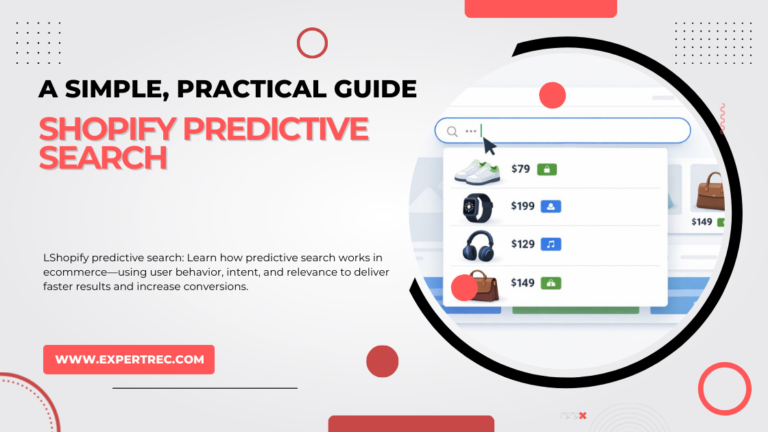
This article will provide an overview of Shopify Predictive Search that is simple to understand and follow in a straightforward and practical way. You may know how to enable it or install it from a third-party application. However, there are a variety of helpful features and tweaks that can make a big difference in the end result. Simply enabling Predictive Search enhances the customer experience and increases customer engagement and conversion, but the full potential of the feature can be realized by optimizing the performance of Predictive Search in the background.
Table of Contents
- What Is Shopify Predictive Search?
- How Predictive Search Works
- Search Engine Configurations
- Customizing Predictive Search Results
- Improving Search Accuracy
- Using JSON for Advanced Results
- Search Data for Enhanced Performance
- Managing Predictive Search API Limitations
- Enhancing the Overall User Experience
- Key Takeaways
What Is Shopify Predictive Search?
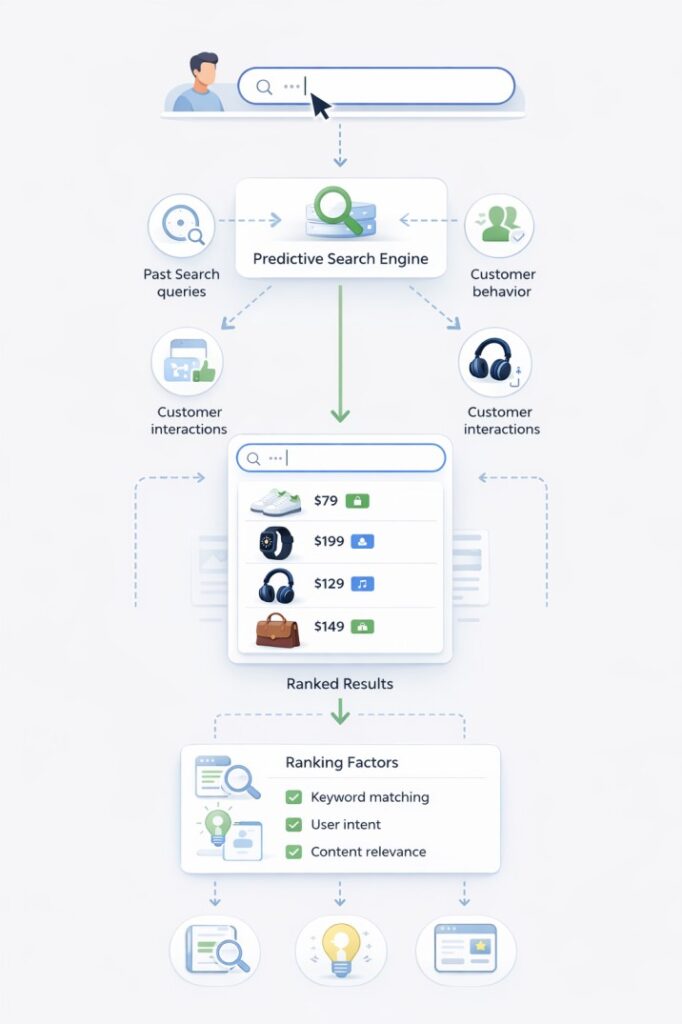
Predictive Search is a function in Shopify that delivers relevant suggestions as customers enter their phrases into the search bar. The suggestions include products, collections, pages, and blog posts. With Predictive Search, customers do not have to scroll through numerous pages to find the items they are looking for. Predictive search guides customers to find items faster and easier, resulting in an increased chance to discover the new product and to convert into a purchase.
Predictive Search will pull from a number of data variables to deliver results based on:
- Past Search Queries
- Customer Behavior
- Customer Interactions
By analysing these three variables, Predictive Search can make educated guesses as to the customers intent whilst they are entering their phrases into the search bar, and will rank the results based on:
- Keyword matching
- User Intent
- Content Relevance and Quality
Humans are smarter than technology. The use of technology requires continuing training to improve accuracy over time with the increasing amount of training data. Predictive search allows merchants to know what customers want, based on their searches, providing a better experience for customers by offering to them the products they are searching for in a timely manner and reducing cart abandonment. Merchants can improve their business by analyzing the data from predictive search and determining the best product, price, and marketing strategies to offer to customers.
By improving the results of the search, customers are creating a better experience for themselves and subsequently increasing sales.
Search Engine Configurations
The search engine configuration gives you control over what properties are searched for while using the predictive search service for your store. By default, the following four properties can be searched:
| Content Type | Searchable Properties |
|---|---|
| Products | Title, Product Type, Variant Title, Vendor |
| Pages | Title |
| Collections | Title |
| Blog Posts | Title |
By understanding what is being searched and configuring the properties, you will ensure that your customers will have the most relevant search results when they perform a search.

AI-powered site search with instant autocomplete
Deliver lightning-fast search experiences with ExpertRec
ExpertRec helps you implement intelligent autocomplete, typo-tolerant search, personalized results, and scalable server-side search — all without complex infrastructure or heavy development effort.
Start Free Trial →Quick setup • No coding required • Works on any website
Customize the Way the Predictive Search Results Are Displayed
To customize how the predictive search results are shown on the frontend of your store, you can edit the predictive-search.liquid file. This includes
- Layout & Styling
- Order & Rank of Results
- Types of Results are Shown – Products, Collections, Pages, etc.
You can also choose how many results are displayed by using the settings below to adjust the parameters:
- predictive_search.resources.products
- predictive_search.resources.collections
- predictive_search.resources.queries
Improving the Accuracy of the Search Results
Typo Tolerance
Predictive search will return relevant results with typo tolerance that is included in the predictive search service. Typo tolerance allows for up to one character difference, or two characters to be swapped.
Users will need to correctly type the first four letters of their search term to ensure they get relevant results, and not irrelevant results, when using predictive search. This approach provides a reasonable balance of returning relevant results and not having overwhelming irrelevant results.
Typo tolerance will apply when typing the following:
- Product Titles/Types/Variants/Vendors
- Page/Article Titles
- Collection Titles
Using JSON for Advanced Results
Developers can use JSON to exactly control the information that is returned from the Predictive Search API. Some examples of common elements returned in the search preview include:
- Product images
- Pricing
- Availability
The more detail and accurate a search preview is, the better the user experience, which leads to the increased likelihood of conversion.
Search Data for Enhanced Performance
- Identify popular products and trends
- Improve product titles and descriptions
- Discover items missing in search results or irrelevant items returned in search results
- Highlight best-selling products
By regularly looking at search data, organizations maintain the accuracy and effectiveness of their predictive search.
Managing Predictive Search API Limitations
API Rate Limits
- Cache the search results for all repeat requests.
- Request only the information needed to process the request (e.g., limit response fields).
- Target a small result set size.
In addition to the above methods of remaining compliant with Shopify’s API rate limits, organizations should also employ proper error handling and implement retry logic.
Enhancing the Overall User Experience
- Providing Autocomplete Suggestions with Image and Category
- Using a design that matches your own when displaying search results
- Using easy-to-read language
- Optimizing for Mobile (Font Size, Spacing)
The right predictive search will significantly accelerate the customer journey toward their purchase and significantly increase the likelihood of a successful conversion.
Key Takeaways
- Predictive Search helps customers find products quicker.
- A few small configuration changes will improve your results significantly
- Using analytics of search will provide you with data to make better business decisions
- Both good design and mobile optimization are essential to your success.
- When a predictive search is optimized, it has a positive effect on sales and customer satisfaction.