
Table of Contents
- Zsh Autocomplete: How Smart Command Line Suggestions Work Improve Productivity
- What Is Zsh Autocomplete?
- Autocomplete – A Vital Tool For Developers
- Autocomplete is Becoming the New Normal
- The Challenge of Website Search
- Bringing Autocomplete to Website Search with Expertrec
- How Expertrec Enhances the Autocomplete Experience
- Why Autocomplete Improves Website Engagement
- From Terminal Productivity to Website Search Intelligence
- Final Thoughts
A lot of developers work in the terminal often to perform tasks such as navigating through directories, executing scripts, and deploying applications. The ability to be efficient while in the command-line environment will have a direct effect on productivity. This makes Zsh autocompletion a valuable resource for developers.
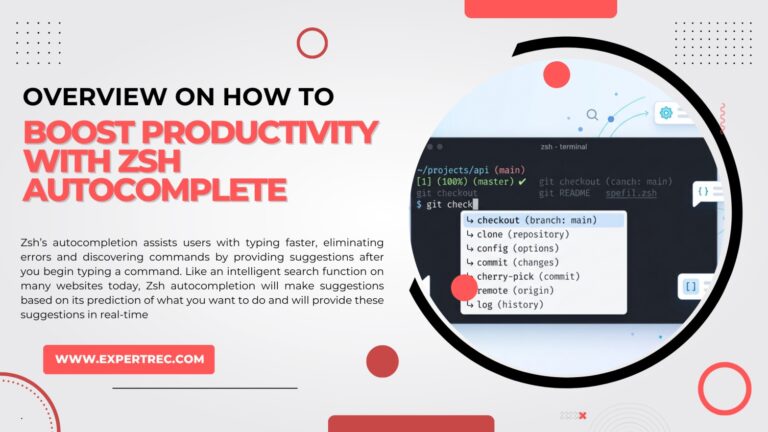
Zsh’s autocompletion assists users with typing faster, eliminating errors and discovering commands by providing suggestions after you begin typing a command. Like an intelligent search function on many websites today, Zsh autocompletion will make suggestions based on its prediction of what you want to do and will provide these suggestions in real-time.
In this article, we will analyze what Zsh autocompletion is and how it positively affects the developer experience, as well as how intelligent suggestions are being used on websites through solutions such as Expertrec.
What Is Zsh Autocomplete?
Zsh is a powerful and popular UNIX shell used by many developers and systems administrators. One of the main functions of Zsh is that it provides an auto-completion feature. This allows a user to start typing in a command, file name, argument, or path and then press tab to see a suggestion for what they were going to enter.
For example, if a user starts to type in a command, Zsh will provide suggestions for existing commands that match, as well as file and directory names, Git branches, environment variables, previously used commands, etc., based on what they are entering.
This removes a lot of the effort required by a user to type things out, as well as reduces the chance for human error.

Autocomplete – A Vital Tool For Developers
While significantly improving workflow efficiency, autocomplete is more than just being a convenience.
Rapidly Executing Commands
Developers often use long command names or work within very nested directory structures. Autocompletion allows them to use short parts of the path to navigate quickly or to execute commands without recalling a specific character sequence.
Decreased Errors
When executing commands on the command line, no one is immune from making typos. The autocomplete function provides suggested command names and filenames to reduce mistakes when executing commands.
Unfamiliar Commands
If you are not very familiar with a command or option, autocomplete will help you see what options or commands are available. This is very helpful when trying out a new tool or working with a complex CLI utility.
Continuity of Workflow
Providing predictive text helps users maintain a smooth workflow without having to frequently refer to documentation.
These benefits of Autocomplete have led many modern development environments to feature intelligent suggestions among their standards.
Autocomplete is Becoming the New Normal.
The idea of autocomplete has gone further than just being used in command-line interfaces. Now consumers are looking for an experience similar to what they experience when they use the following:
- Search Engines
- E-commerce stores
- Knowledge Bases
- SaaS applications
- Documentation Portals
When a user begins typing in a query, they expect real-time recommendations to guide them to the correct answer.
Without autocomplete, the experience of searching is painfully slow due to lack of functionality and feels outdated and frustrating.
The Challenge of Website Search
Many companies still use “dumb” search systems that simply do keyword matching and return static results.
This creates the following challenges:
- Users can’t find what they’re looking for
- The results from user search requests are poor
- Visitors leave their site quickly
- Businesses lose out on potential sales
Just like developers benefit from intelligent command suggestions offered by Zsh, users of a web browser will benefit from ‘smart search autocomplete’ to anticipate the user’s search intent.

Smart autocomplete for modern websites
Bring Zsh-like Autocomplete to Your Website Search
ExpertRec helps websites deliver intelligent search suggestions just like command-line autocomplete. Add real-time suggestions, typo-tolerant search, personalized results, and lightning-fast search experiences without complex infrastructure.
5-minute setup • No coding required • Works on any website
Bringing Autocomplete to Website Search with Expertrec
Expertrec created an intelligent autocomplete system that allows websites to perform searches based on user-entered text. Rather than requiring users to fill in all of their search terms, Expertrec provides real-time suggestions that users can see, which they know to be relevant to what they want. The result of this feature is greater usability and increased engagement by the users.
Users can start exploring the website, using an Expertrec search bar, by typing into the search bar and will see suggestions of the following:
- Relevant Articles
- Products
- Categories
- Trending Searches
- Frequently Accessed
By receiving suggestions in real-time as the user types, users avoid the frustration of having to type in a long string of search terms before finding what they want.
How Expertrec Enhances the Autocomplete Experience
Expertrec’s autocomplete system does more than simply provide auto-completed keywords for the user to search for. Expertrec analyzes both the user’s behavior and all content on the website when providing suggestions to create high-quality suggestions based on both user behavior and website content.
Intelligent Query Suggestions
Expertrec provides intelligent search suggestions based on what users commonly search for, therefore helping to direct website visitors to results of value to those visitors.
Content-Based Suggestions
Although provided auto-completed search suggestions may contain articles to search for, products to purchase, or pages of various content types, the suggestions match the intent of the searcher.
Error-Tolerant Suggestions
Users commonly make typographical errors when typing their search terms. The Expertrec search would still provide accurate suggestions even if the search term contained a typographical error.
Faster Content Discovery
By automatically providing suggestions while a user is typing, it decreases the amount of time it takes for a user to find the content they were looking for.
Why Autocomplete Improves Website Engagement
Autocomplete greatly enhances how a user interacts with a web page.
- The user will remain on the site longer
- The bounce rate will decrease
- The visitor will find the content more easily.
Furthermore, the benefits to productivity by developers that use Zsh autocomplete in the command-line interface are the same as the benefits to the user of websites that have an autocomplete feature in their search engine.
In both scenarios, predictive suggestions eliminate the barriers to finding information and make the process of searching for items very simple.
From Terminal Productivity to Website Search Intelligence
Zsh Autocomplete illustrates the power of predictive suggestions for a developer’s experience in a command line interface. The Zsh command-line interface makes searching much faster and smarter by anticipating the user’s intent.
This same concept is applied to the web’s search engine of today.
With intelligent search capabilities such as those offered by Expertrec, websites can provide autocomplete suggestions for users who are searching their websites, thereby helping the user to find the information to which they are looking immediately.
This will enhance the user experience dramatically and, at the same time, ensure that they will not miss seeing valuable content due to ineffective website search systems.
Final Thoughts
Autocomplete functionality has become a core part of many different types of digital experiences today. Whether we’re coding in our developer terminal or searching websites, the use of predictive suggestions streamlines the user’s ability to complete tasks in a timely and effective manner.
Zsh autocomplete shows how useful this functionality can be for developers, and also products like Expertrec offer a similar level of accuracy and relevance in website searches, making it easier for consumers to find exactly what they need.
As end users’ expectations change over time, so will intelligent autocomplete continue to be an important feature in providing seamless and efficient digital experiences.


